
The best WordPress SEO audit plugins are All in One SEO, SEOPress, Squirrly SEO, Site Kit by Google and The SEO Framework, and each audits a different layer of your site. WPOptimizers, a WordPress-focused agency, compares them by what they scan, which audit features stay free and where their data comes from.
5 SEO Audit Plugins Compared by What They Actually Check
An SEO audit looks for problems that keep pages from ranking: crawl errors, weak meta tags, slow pages and missing structured data. No single plugin covers every layer, so the comparison starts with what each one checks. WPOptimizers reviews five plugins below, then adds a monthly routine that turns findings into fixes.
An Audit Plugin Finds Problems, It Does Not Fix Them
Every audit tool produces a list. The value comes from sorting that list by impact and fixing the items that block indexing before the ones that polish titles. WPOptimizers treats plugin output as a starting point, because a score of 90 can still hide a noindex tag on the pages that earn revenue.
Audit tools also disagree. One may flag a missing meta description as critical while another ignores it, and none can judge search intent. Use them to find technical SEO issues quickly, then apply judgment to decide what matters for your site.
Three Layers of an SEO Audit and Where Each Plugin Fits
Audits work on three layers: on-page checks inside the editor, site-wide technical scans and search performance data from Google. The table below shows which plugin sits on which layer. WPOptimizers suggests covering at least two layers, since on-page scores alone miss crawl errors, redirect chains and slow templates.
| Plugin | Audit layer | What the listing says about limits |
| All in One SEO | On-page and site-wide audit | Site Audit free or Pro status is unclear on the page |
| SEOPress | On-page checks; site audit in Pro | Site Audit and broken link checker are Pro |
| Squirrly SEO | Cloud audit and AI readiness | Needs a free account; free limits not stated |
| Site Kit by Google | Search data and speed | Reads Google data; site must be live |
| The SEO Framework | Site-wide SEO bar | No 404 monitoring or analytics |
Before You Install Anything: The WPOptimizers Technical SEO Audit
WPOptimizers is a WordPress-focused agency, WPOPTIMIZERS LLC, based in Ohio, and its technical SEO and Core Web Vitals audits cover what plugins cannot judge: crawl paths, indexing, redirect chains, page templates and structured data together. This is a service rather than a plugin, and it pairs well with any tool below.
A plugin tells you a page has a missing canonical tag. An audit tells you why the template keeps producing it and what to change once. WPOptimizers also publishes fixed-price packages from $399 to $1,299 and maintenance plans from $49 per month, so findings can be fixed, not just reported.
1. All in One SEO for Prioritized Fixes Inside WordPress
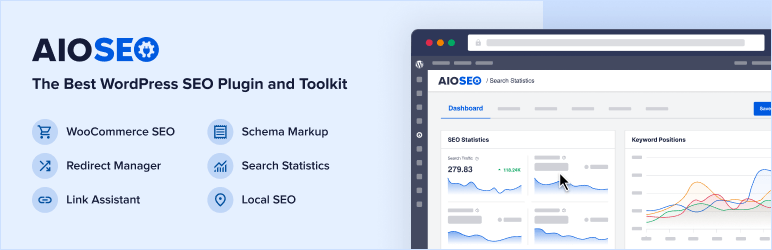
All in One SEO offers a Site Audit and SEO Checklist that reviews posts and terms and lists prioritized fixes, alongside TruSEO on-page analysis with readability scoring. WPOptimizers points to it for owners who want audit results inside the dashboard, next to titles, sitemaps and schema settings.
The WordPress.org listing shows 2+ million active installations and a 4.7 out of 5 rating from 5,242 reviews. The FAQ lists free features including SEO titles, an XML sitemap, schema markup, Google Search Console integration and TruSEO.
The page does not clearly say whether Site Audit is free or Pro, and the redirection manager with 404 logs is Pro. A 5.0.4 fix addressed Site Audit failing to load on some setups, and support resolved 29 of 29 recent issues. Check the plan before relying on the audit.
2. SEOPress for On-Page Scores and a Pro Site Audit
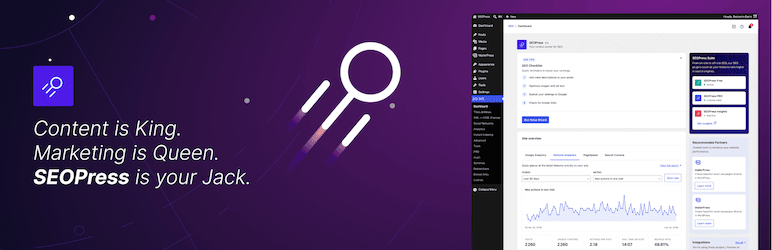
SEOPress puts a score column in the post list, such as 12 of 17 checks passed, and includes a notification center that warns when a post type is set to noindex. WPOptimizers sees it as a tidy on-page option with unlimited target keywords in the free version.
The listing shows 300,000+ active installations and a 4.8 out of 5 rating from 1,270 reviews. Pro adds a Site Audit with Search Console-based recommendations, scan history and CSV export, plus a scheduled broken link checker.
Pro costs $49 a year for one site or $149 a year for unlimited sites. It also adds a JSON-LD schema editor, 404 monitoring with auto-redirects and SEO alerts for regressions. The changelog lists security hardening without detail, and support resolved 6 of 7 recent issues.
3. Squirrly SEO for Page-by-Page Guidance and AI Readiness
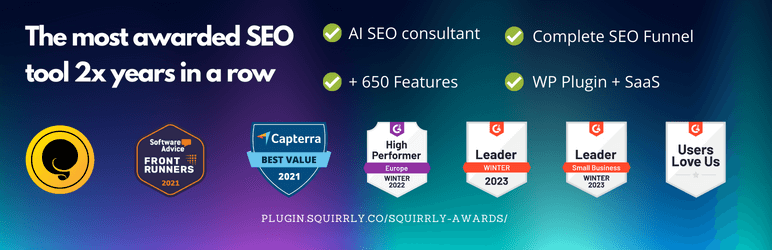
Squirrly SEO combines a Live Assistant in the editor, Focus Pages that explain why a page is not ranking and SEO Goals that list next steps. Its newer GEO and AEO audit scores pages for AI citation readiness. WPOptimizers uses it for sites that want guided, page-level advice.
The listing shows 30,000+ active installations and a 4.6 out of 5 rating from 683 reviews. The audit looks at direct answers, question-style headings, lists, tables, content depth and FAQ schema, and the plugin also generates llms.txt.
Cloud audits, keyword research and rank tracking require a free Squirrly account, and the page does not state free-tier limits. Some hosts block remote API access and need allowlisting. It runs alongside Rank Math only in compatibility mode, and one reviewer called the implementation messy.
4. Site Kit by Google for Search Console and Speed Data
Site Kit brings Google Search Console, Analytics and PageSpeed Insights into the WordPress dashboard. It does not scan your pages itself, but it shows how Google sees them: queries, impressions and performance tips. WPOptimizers uses it as the data layer behind an audit.
The listing shows 5+ million active installations and a 4.2 out of 5 rating from 1,016 reviews. It is free, and each admin must connect their own Google account.
Limits are practical. The site must be live and publicly reachable, new connections can take days to show data and several reviewers say dashboard widgets fail to load. Support resolved 73 of 91 issues recently. Use it to confirm findings with real data, not as a standalone auditor.
5. The SEO Framework for a Lightweight Site-Wide Overview

The SEO Framework automates meta tags, structured data, sitemaps and canonical handling with minimal setup. Its SEO Bar gives a site-wide overview, with color-coded guidance where red marks an error to fix. WPOptimizers favors it for owners who want fewer settings and fewer upsells.
The listing shows 200,000+ active installations and a 4.9 out of 5 rating. The core plugin is free with no premium version, and extensions such as Focus and Monitor add keyword guidance and tracking.
It intentionally leaves out analytics, 404 monitoring and focus keyword tools in the core plugin. The default sitemap omits categories and images, and the changelog admits more than ten months without an update before version 5.2, so check the update history.
Not Sure Which Audit Findings Actually Matter?
WPOptimizers runs technical SEO and Core Web Vitals audits that rank issues by impact, so fixes start with what blocks indexing and speed, not with cosmetic scores.
Matching an Audit Plugin to Your Situation
Choose the plugin by the question you need answered. A site owner who wants editor guidance needs a different tool than one who wants Google data. WPOptimizers uses the pairings below as a starting point, then combines two tools where one layer is missing.
| Your question | Practical choice | Why |
| What is wrong on each page? | SEOPress or All in One SEO | On-page checks in the editor |
| Is the whole site healthy? | SEOPress Pro Site Audit | Scan history and CSV export |
| How does Google see us? | Site Kit by Google | Search Console and speed data |
| Is content ready for AI answers? | Squirrly SEO | GEO and AEO audit |
| Minimal setup, few upsells | The SEO Framework | Automated defaults |
Six Steps for a Monthly SEO Audit Routine
A monthly routine takes six steps: check indexing, review crawl errors, scan for broken links and redirect chains, test Core Web Vitals, review on-page flags and log the fixes. WPOptimizers follows this order because indexing problems outrank every cosmetic score in the plugin dashboard.
- Check indexing in Google Search Console and confirm key pages are indexed.
- Review crawl errors and any pages blocked by robots.txt or a noindex tag.
- Scan for broken links and redirect chains, and fix the ones on high-value pages first.
- Test Core Web Vitals on the home page, one post and one product page.
- Review on-page flags such as missing meta descriptions, thin content and duplicate titles.
- Log every fix with a date so the next audit can show what changed.
Want the Fixes Handled, Not Just the Report?
WPOptimizers offers WordPress maintenance plans from $49 per month, so audit findings, plugin updates and technical fixes happen on a schedule.
How WPOptimizers Reads Audit Reports
WPOptimizers treats an audit report as a map, not a verdict. It checks whether flagged pages should rank at all, whether the fix is a template change or a one-off edit and whether a competing sitemap or duplicate plugin is causing the problem. Many warnings disappear once one setting is corrected.
Several audit areas have their own guides: the comparison of Rank Math and Yoast SEO, the walkthrough of Core Web Vitals, the guide to redirection manager plugins and the overview of robots.txt plugins.
What Is the Best WordPress SEO Audit Plugin?
There is no single best option. SEOPress Pro and All in One SEO offer site audits, Site Kit supplies Google’s own data and Squirrly SEO adds AI readiness. WPOptimizers combines an on-page tool with Search Console, because each reveals problems the other cannot see.
Are Free SEO Audit Plugins Enough?
For small sites, often yes. Free tools catch missing meta tags, noindex warnings and basic on-page issues. Site-wide scans, scan history and broken link checking often need Pro. WPOptimizers advises starting free, then upgrading only when you outgrow manual checks.
How Often Should I Run an SEO Audit?
Run it monthly for active sites, with a full technical review every quarter and an extra check after any redesign, migration or major plugin change. WPOptimizers also checks indexing after launches, since a leftover noindex tag can remove pages from search quickly.
Can I Use Two SEO Plugins at Once?
Avoid it. Two plugins writing titles, meta tags or sitemaps can create duplicate output. Squirrly’s FAQ says it runs beside Rank Math only in compatibility mode with modules disabled. Site Kit is different, since it reads Google data and does not write SEO tags. WPOptimizers keeps one writer and adds readers.
Do SEO Audit Scores Matter for Rankings?
No. A plugin score is not a Google metric. It measures checks against the plugin’s own rules. Rankings depend on content quality, links and technical access. WPOptimizers uses scores to spot issues, not as targets, and improves pages for readers and search intent first.
Which Issues Should I Fix First?
Start with anything that blocks crawling or indexing: noindex tags, robots.txt blocks, broken redirects and server errors. Next fix slow templates, duplicate titles and thin pages. WPOptimizers leaves cosmetic items such as minor meta length warnings until the technical base is clean.
Does an SEO Audit Include Page Speed?
A thorough audit does. Site Kit shows PageSpeed Insights data, and many audits flag large images and layout shifts. Speed fixes often sit outside SEO plugins. WPOptimizers pairs audits with Core Web Vitals work, because slow templates affect every page that uses them.
SEO Audit Rules to Keep in Mind
Keep these rules beside your reporting notes so each audit follows the same order. WPOptimizers drew the plugin facts from the WordPress.org listings cited above, which you can read for current limits, update dates and support activity before choosing a tool.
- Cover at least two layers: on-page and Google data.
- Check whether Site Audit features are free or Pro before relying on them.
- SEOPress Site Audit and broken link checker are Pro.
- Site Kit needs a live, publicly reachable site.
- Squirrly’s cloud audits require a free account.
- Fix indexing and crawl problems before cosmetic warnings.
- Log every change with a date.
Audit Less Often, Fix More Often
The best audit setup combines one on-page tool with Google’s own data and a routine you actually follow. Start with indexing, fix the biggest blockers and log the changes. For deeper technical reviews and ongoing care, WPOptimizers maintains WordPress sites on fixed-price plans.
