
The best WordPress popup builder plugins are Popup Maker, Hustle, OptinMonster, Icegram Engage, WP Popups and Poptin, and the right pick depends on which triggers stay free. WPOptimizers, a WordPress-focused agency, compares each plugin by exit intent, scroll trigger, targeting rules, impression limits and the effect on page speed.
6 Popup Builders Compared by Triggers, Targeting and Free Limits
A popup can grow an email list or drive visitors away, and the difference is usually timing. Most plugins build the same lightbox, so triggers and targeting matter more than templates. WPOptimizers compares six popup builders below by what their free versions allow, then offers a test plan that protects mobile users and page speed.
Triggers Decide Whether a Popup Helps or Annoys
A popup that opens the instant a page loads interrupts the visitor before they have read a word. Better triggers wait for a signal: a scroll trigger, a time delay, a click or exit intent. WPOptimizers checks which triggers each plugin gives away, because exit intent and scroll depth are often the paid ones.
Display rules matter just as much. Cookie-based frequency caps stop the same popup from reappearing on every page, and page-level targeting keeps an offer on the pages where it makes sense. The comparison below shows which plugin gives you those controls without a subscription.
Popup Builders Compared by Free Triggers and Paid Gates
The table lists the trigger and targeting limits of each plugin. Details come from each plugin’s WordPress.org listing. WPOptimizers suggests reading the paid-gate column first, because exit intent is the feature most owners want first, and it is locked in several free versions.
| Plugin | Free triggers and limits | Paid gate to check |
| Popup Maker | Auto open, click, form submission; free targeting | Exit intent and scroll trigger are Pro |
| Hustle | Time, scroll and exit intent; 3 of each module | Unlimited campaigns need Pro |
| OptinMonster | Account required; 3 campaigns, 500 impressions | Exit intent is Pro |
| Icegram Engage | Unlimited campaigns and impressions | Exit intent, scroll depth and A/B tests are Max |
| WP Popups | Time delay and scroll triggers | Exit intent, scheduling and analytics are premium |
| Poptin | Account required; 1,000 visitors a month, exit intent | Higher traffic needs a paid plan |
1. Popup Maker for Free Targeting and a Large User Base
Popup Maker is the most established free popup plugin in this list. It offers auto-open triggers with an optional delay, click-to-open on any element and form-submission triggers, plus free targeting by posts, pages, categories and tags. WPOptimizers sees it as the safest default for a first popup.
The WordPress.org listing shows 600,000+ active installations and a 4.9 out of 5 rating from 4,518 reviews. It integrates with form plugins such as WPForms, Ninja Forms and Contact Form 7, and cookie-based rules limit repeat views.
Exit intent, scroll triggers, analytics and advanced targeting need Pro at $99 a year, with Pro+ at $249 a year adding revenue attribution. The changelog shows XSS hardening and a bug that could lose popup settings after a save, since fixed. Support resolved 2 of 8 issues in the last two months.
2. Hustle for Opt-Ins With Built-In Email Integrations
Hustle covers popups, slide-ins, embeds and after-post opt-ins in one plugin, with display conditions for pages, devices and countries. It includes exit-intent and scroll triggers in the free version. WPOptimizers points to it for sites that want email opt-ins connected to Mailchimp, HubSpot or ConvertKit.
The listing shows 80,000+ active installations and a 4.4 out of 5 rating from 859 reviews. It supports scheduling by date, day and time zone, conversion tracking, reCAPTCHA and about 19 email services.
The free version caps you at three popups, three slide-ins, three social share bars and three embeds, while Pro removes the limits. The changelog lists an XSS fix and frequent security hardening. One reviewer found a custom CSS popup oversized on mobile, so test on a phone.
3. OptinMonster for Advanced Campaigns Through a Cloud Account
OptinMonster is a cloud service with a WordPress connector, which means you build campaigns in its own editor. It supports lightbox, floating bar, slide-in, fullscreen welcome mat, spin-a-wheel and content locker formats. WPOptimizers uses it when A/B testing and retargeting justify a subscription.
The listing shows 1+ million active installations and a 4.3 out of 5 rating from 823 reviews, including 133 one-star ratings. A free account includes 3 campaigns and 500 impression credits, and exit intent and campaign scheduling are Pro.
Version 2.18.0 removed legacy API credentials, so older connections must reconnect with an API key. One reviewer reported an unexpected subscription renewal that support then resolved. The plugin requires an account, so factor the recurring cost and the external dependency into the decision.
4. Icegram Engage for Unlimited Free Campaigns
Icegram Engage offers lightbox popups, header and footer bars, slide-in messengers and toast notifications with unlimited campaigns and impressions. Over 50 mobile-responsive templates are included, and messages can run in timed sequences. WPOptimizers likes it for small sites that want volume without a visitor cap.
The listing shows 10,000+ active installations and a 4.7 out of 5 rating from 370 reviews. Lazy loading helps with caching compatibility, and WooCommerce promo and free-shipping bars suit stores.
The paid Max plan adds exit intent, scroll-depth and inactivity triggers, A/B split testing, analytics and countdown timers. The changelog shows an XSS fix and a PHP object injection fix, and support resolved 0 of 1 issues recently, so plan to rely on documentation.
5. WP Popups for a Clean Builder That Feels Like WPForms

WP Popups uses a visual template builder adapted from WPForms and offers five popup locations. Free triggers include a time delay and scroll percentage or distance, and styling covers fonts, colors and borders. WPOptimizers suggests it for owners already comfortable with the WPForms interface.
The WordPress.org page shows 30,000+ active installations and a 4.9 out of 5 rating from 112 reviews. Display rules combine pages, logged-in status, device type, referrer, user roles and prior visits.
Premium adds exit-intent popups, optin forms for mail providers, scheduling, geolocation, A/B testing and analytics. The changelog lists several security fixes, including a stored XSS issue, and the FAQ notes that multiple Gravity Forms on one page can conflict. It is actively updated.
6. Poptin for Gamified Popups and a Generous Visitor Allowance
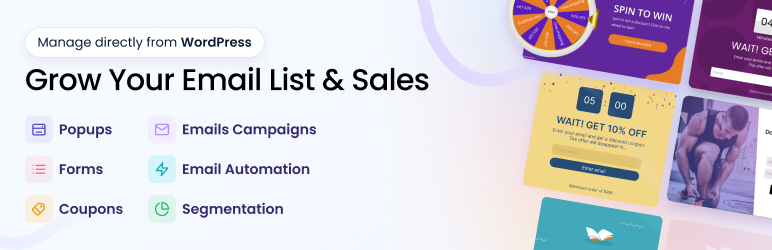
Poptin builds popups and inline forms in a cloud editor, with exit-intent, scroll, time-delay and targeting by URL, device and location. It also offers Spin to Win and Scratch Card formats. WPOptimizers considers it when gamified discounts fit the store and traffic is modest.
The listing shows 20,000+ active installations and a 4.9 out of 5 rating from 704 reviews. A free account is required and includes 1,000 visitors a month and unlimited popups, with exit intent included on the free plan.
Features include GDPR tools such as consent checkboxes and double opt-in, plus 70+ integrations. Deep WooCommerce integration is listed as coming soon, and pricing is not on the page. Support resolved 3 of 3 issues in the last two months.
Is a Popup Hurting Your Page Experience or Your Rankings?
WPOptimizers audits popups together with page speed, layout shifts and mobile usability, so email capture never costs you the visitors you worked to earn.
Choosing a Popup Builder by Goal
Pick the plugin by the job it must do on your site. A blog wants a quiet newsletter prompt, a store wants a discount or cart message and a service business wants a call-to-action. WPOptimizers uses the pairings below as a starting point, then tests the result on mobile.
| Your goal | Practical choice | Why |
| First popup, no budget | Popup Maker | Free targeting, large user base |
| Email opt-ins with an ESP | Hustle | Many email integrations |
| A/B testing and retargeting | OptinMonster | Advanced campaigns in the cloud |
| High volume, low cost | Icegram Engage | Unlimited free impressions |
| Discount and gamified offers | Poptin | Spin to Win and Scratch Card |
Six Steps to Test a Popup Before It Goes Live
A safe test takes six steps: set the goal, choose one trigger, limit repeats, check mobile, measure speed and review results after a week. WPOptimizers follows this order because a popup that works on desktop can block content or shift the layout on a phone.
- Set one goal, such as newsletter signups or a discount code claim.
- Choose a gentle trigger, such as a scroll trigger or a time delay of several seconds.
- Set a frequency cap so the same visitor does not see it on every page.
- Open it on a phone and confirm the close button is easy to tap.
- Run a page speed test before and after, watching Cumulative Layout Shift.
- Review conversion tracking after a week and adjust one variable at a time.
Want an Opt-In Strategy That Fits Your Whole Site?
WPOptimizers builds WordPress sites on fixed-price packages from $399 to $1,299, with lead capture, forms and email integrations planned alongside page design.
How WPOptimizers Approaches Popups
WPOptimizers is a WordPress-focused agency, WPOPTIMIZERS LLC, based in Ohio. It treats a popup as one piece of the lead path, so it checks the page, the offer, the form and the follow-up email together. A popup that fires too early or covers content on mobile is the first thing it looks for.
Speed and structure matter. Popups load scripts and sometimes shift layouts, so the guide to improving Core Web Vitals is a useful companion. Pair popups with internal linking plugins and clear navigation so visitors have other ways to act.
Which Popup Plugin Is Best for Beginners?
Popup Maker is a good first choice thanks to its free targeting, form integrations and large user base. Hustle suits owners who want email opt-ins with built-in integrations. WPOptimizers suggests building one simple newsletter popup in two plugins before committing, since editor preference is personal.
Do Popups Hurt SEO?
They can if they cover content on mobile or shift the layout as the page loads. Well-timed, easy-to-close popups are usually fine. WPOptimizers checks Cumulative Layout Shift and mobile usability after every popup launch, and avoids full-screen overlays on a visitor’s first page view.
How Do I Show a Popup Only Once per Visitor?
Use a cookie-based frequency cap. Popup Maker offers cookie-based display rules, WP Popups has a repeat interval in days, and Icegram supports cookie and session retargeting. WPOptimizers sets a long interval after a visitor closes or converts, so returning readers are not interrupted again.
Is Exit Intent Free in WordPress Popup Plugins?
Rarely. Popup Maker, OptinMonster, Icegram Engage and WP Popups keep exit intent in paid tiers, while Hustle and Poptin include it free. WPOptimizers notes that exit intent works poorly on touch screens, so test a scroll trigger or timed prompt for mobile visitors.
Can I Connect Popups to Mailchimp or My CRM?
Yes. Hustle lists about 19 email services including Mailchimp and HubSpot, Poptin offers 70+ integrations, and OptinMonster connects to many email and CRM platforms. Popup Maker works with form plugins. WPOptimizers submits a test email and confirms the contact arrives before launching a campaign.
Why Isn’t Popup Builder by Sygnoos in This List?
Its WordPress.org listing says the plugin is closed and unavailable for download, with the closure described as temporary pending a full review. Because it cannot be installed from the directory, WPOptimizers left it out. Check the listing for updates before relying on it.
Will Popups Slow My Site?
They add scripts, styles and sometimes external requests, especially with cloud-based tools. Load popups only on the pages that need them and test speed before and after. WPOptimizers measures key pages and removes popups that fail to earn their weight.
Popup Rules Worth Remembering
Keep these rules near your marketing calendar so every popup follows the same checks. WPOptimizers drew the plugin facts from the WordPress.org listings cited above, which you can read for current limits, pricing notes and update dates before installing a builder.
- Pick the trigger before the template.
- Exit intent is paid in several plugins and free in Hustle and Poptin.
- Hustle’s free plan caps each module type at three.
- OptinMonster and Poptin require a cloud account.
- Set a frequency cap so repeat visitors are not interrupted.
- Test every popup on a phone and watch layout shift.
- Review conversion tracking after a week.
Timing Beats Design
The best popup builder is the one that lets you control triggers, targeting and frequency without a surprise upgrade. Start with one gentle popup, test it on mobile and measure the result. For lead capture planning and ongoing care, WPOptimizers maintains WordPress sites on fixed-price plans.
