
The best WordPress form builder plugins are WPForms Lite, Fluent Forms, Contact Form 7, Ninja Forms, Forminator and Formidable Forms, and the winner depends on which features your free version locks away. WPOptimizers, a WordPress-focused agency, compares each one by conditional logic, file uploads, payments, spam protection and how form entries are stored.
6 Form Builders Compared by What the Free Version Really Includes
Every form builder advertises a drag-and-drop editor, so the editor is rarely the deciding factor. The real difference is which basics sit behind a paywall: conditional logic, file uploads, multi-step forms and payments. WPOptimizers compares six plugins below using their WordPress.org listings, then shows how to launch a form without losing leads.
Where Free Form Builders Stop and Paywalls Start
A contact form is easy. A lead capture form with a file upload, a calculation or a payment is where free versions run out. WPOptimizers reads the feature list of each plugin for four gates: conditional logic, file uploads, multi-step forms and payment gateways, because those are the gates most small business sites hit within a month.
Hitting a gate late is expensive. Switching form builders means rebuilding every form, remapping notifications and testing each integration again. Choosing with the gates in mind avoids a second migration, and the comparison table below shows how the six plugins differ on each one.
Six Form Builders Compared by Free Features and Paid Gates
The table lists what each plugin includes for free and what it keeps behind Pro or an add-on. Details come from each plugin’s WordPress.org listing. WPOptimizers suggests reading the last column first, because a locked feature you need on day one decides the plugin before any design preference does.
| Plugin | Free highlights | Locked behind Pro or add-ons |
| WPForms Lite | Templates, spam protection, Stripe | File uploads, conditional logic, multi-step forms |
| Fluent Forms | Conditional logic, 25+ fields, Stripe | Multi-step forms, quizzes, 55+ fields |
| Contact Form 7 | Core form block, long track record | Listing mentions no spam, styling or upload features |
| Ninja Forms | 31 field types, unlimited submissions | Conditional logic, uploads, multi-step, styling |
| Forminator | Conditional logic, polls, quizzes, PayPal | E-signature, subscriptions, PDF generation |
| Formidable Forms | Unlimited forms, Stripe, PayPal, Square | Multi-page, conditional logic, uploads, repeaters |
1. WPForms Lite for Beginners Who Want Ready-Made Templates

WPForms Lite is the easiest starting point for owners who want a form live in minutes. It offers a drag-and-drop form builder, pre-built form templates and an AI form generator. WPOptimizers points beginners here because the interface is forgiving and spam protection is switched on by default.
The WordPress.org listing shows 5+ million active installations and a 4.8 out of 5 rating from 14,395 reviews. Spam protection supports hCaptcha, Google reCAPTCHA and Cloudflare Turnstile, and Stripe payments are included in the free version.
The gates are file uploads, conditional logic and multi-step forms, which are all Pro. One reviewer felt the free version lacks useful features, and the changelog shows several cross-site scripting fixes, so keep it updated. Support resolved 19 of 21 issues in the last two months.
2. Fluent Forms for Conditional Logic Without Paying

Fluent Forms includes conditional logic, conversational forms and 25+ input fields in the free version, which is more than most rivals offer. It also includes spam protection, Stripe payments and CSV export. WPOptimizers sees it as the strongest free option for owners who expect forms to grow more complex.
The listing shows 800,000+ active installations and a 4.8 out of 5 rating from 812 reviews. It can migrate forms from WPForms, Gravity Forms and Ninja Forms, which lowers the cost of switching.
Pro adds multi-step forms, quizzes and surveys, 55+ fields and more gateways, and free users pay a 1.9% Stripe transaction fee. The AI form builder sends your form description and site details to an external service. Recent changelogs list stored XSS and payment permission fixes, so updates matter.
3. Contact Form 7 for Lightweight Forms and Developer Control

Contact Form 7 is the long-standing choice for simple contact forms. It focuses on a core form block and a modular architecture, and it suits developers who prefer markup control. WPOptimizers keeps it for sites where a plain email form is enough and design is handled in the theme.
The listing shows 10+ million active installations and a 4 out of 5 rating from about 2,189 reviews. It requires WordPress 7.1 and PHP 8.3 or higher, and the most common complaint is that it no longer works on older PHP versions.
The page does not mention spam protection, styling, file uploads or entry storage, so check those separately before relying on it for lead capture. Support resolved 31 of 89 issues in the last two months. It is a fine tool for a basic contact form and a poor fit for payments or calculators.
4. Ninja Forms for Calculations and Pay-As-You-Need Add-Ons
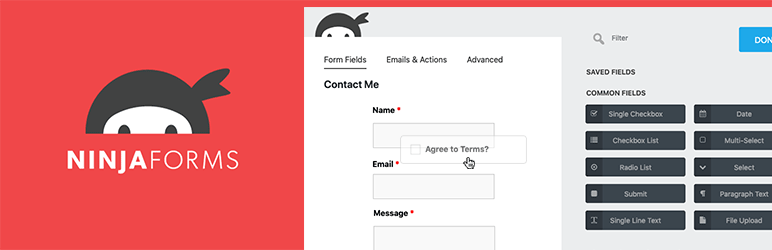
Ninja Forms gives you 31 field types, calculations and running totals in the free version, with unlimited forms and submissions stored in your own database. WPOptimizers likes the spam toolkit, which includes honeypot, an anti-spam question, reCAPTCHA, hCaptcha, Turnstile and Akismet.
The listing shows 500,000+ active installations and a 4.4 out of 5 rating from 1,398 reviews. Entries can be viewed, searched, edited and exported to CSV, and privacy tools such as per-field PII flags and export or erase support are built in.
The trade-off is that conditional logic, file uploads, multi-step forms, styling and most payment and CRM integrations are paid add-ons, bought individually or through a membership. The page also describes a 1.9% PayPal fee that its own changelog does not fully match, and support resolved 5 of 10 issues recently.
5. Forminator for Polls, Quizzes and Payments in One Plugin

Forminator covers forms, polls and quizzes in one plugin, which suits sites that run lead capture and audience engagement together. It includes conditional logic, multi-file uploads, calculations and both Stripe and PayPal payments in the free version. WPOptimizers sees it as the broadest free toolbox in this list.
The listing shows 600,000+ active installations and a 4.8 out of 5 rating from 2,155 reviews. Spam tools include reCAPTCHA, hCaptcha, Turnstile, honeypot and email filters, and a Contact Form 7 importer helps with switching.
Pro adds the e-signature field, Stripe subscription forms and dynamic PDF generation. Nearly every recent release lists security hardening, and the changelog shows many fixes for PayPal failures and fatal errors. One reviewer calls it very complex, so expect a longer learning curve than WPForms.
6. Formidable Forms for Calculators, Views and Data-Driven Sites

Formidable Forms is built for forms that do more than send email: calculators, surveys, quizzes and listings. The free version offers unlimited forms and payment forms through Stripe, PayPal and Square. WPOptimizers reaches for it when form data needs to be displayed back on the site.
The listing shows 300,000+ active installations and a 4.8 out of 5 rating from 1,392 reviews. It requires WordPress 6.3 and PHP 7.0, and invisible spam protection is included in the free version.
Multi-page and conversational forms, conditional logic, repeaters, file uploads and calculated fields are Pro. Free MCP support lets AI clients edit forms and payments, so review that access before enabling it. A 3% fee applies on some licenses, though the page does not say exactly what it covers.
Are Your Forms Sending Leads to the Inbox or the Spam Folder?
WPOptimizers sets up forms, notification emails and spam protection as part of WordPress maintenance, so a lead sent from your site actually reaches your team.
Matching a Form Builder to the Job
Match the plugin to the hardest form you expect to build, not the easiest. A simple contact form needs little, while a quote calculator or a booking deposit needs real gates unlocked. WPOptimizers uses the pairings below as a starting point for small business sites.
| Your main job | Practical choice | Why |
| Simple contact form | Contact Form 7 or WPForms Lite | Light and familiar |
| Complex logic on a budget | Fluent Forms | Free conditional logic |
| Quote calculator | Ninja Forms or Formidable Forms | Built-in calculations |
| Polls and quizzes | Forminator | Included in the free plugin |
| Payments in the free version | WPForms Lite, Forminator, Formidable | Stripe or PayPal included |
Seven Steps to Launch a Form Without Losing Leads
A safe launch takes seven steps: define the goal, build the form, add spam protection, set notifications, test every path, connect your email tool and watch entries for a week. WPOptimizers follows this order because most lost leads come from broken notifications, not weak design.
- Write the goal in one sentence, such as booking a call or requesting a quote.
- Keep fields minimal, because every extra field raises form abandonment.
- Turn on spam protection, such as a honeypot, reCAPTCHA or Cloudflare Turnstile.
- Set the email notification to a monitored inbox and send yourself a test.
- Submit the form on mobile and desktop, including every conditional path.
- Connect your CRM or Mailchimp and confirm a test entry arrives.
- Check form entries after a week and export a CSV backup.
Need a Site Where Every Form Is Tested Before Launch?
WPOptimizers builds WordPress sites on fixed-price packages from $399 to $1,299, with forms, notifications and spam protection configured and tested before handover.
How WPOptimizers Approaches Forms
WPOptimizers is a WordPress-focused agency, WPOPTIMIZERS LLC, based in Ohio. It treats a form as part of the conversion path, so it checks the page around the form, the email that follows and the follow-up in your CRM. A form that submits but never reaches anyone is the failure it looks for first.
Forms also affect speed and search. Heavy scripts can slow a page, as covered in the guide to improving Core Web Vitals, and a clear page structure supports your SEO content strategy. Privacy matters too, since consent checkboxes and data retention rules should match your policies.
Which Form Builder Is Best for Beginners?
WPForms Lite is the gentlest start because of its templates, default spam protection and simple interface. Fluent Forms is a strong second if you want conditional logic for free. WPOptimizers suggests building one real form in each before committing, since interface preference is personal and switching later is costly.
Are Free Form Builders Good Enough for Business Sites?
Often yes, for contact and quote forms. Fluent Forms, Forminator and Ninja Forms include substantial free toolkits. The gates appear with file uploads, multi-step forms and advanced payments. WPOptimizers lists the forms a site needs first, then checks which plugin covers them without upgrading.
How Do I Stop Spam in WordPress Forms?
Use layers: a honeypot, a CAPTCHA such as reCAPTCHA, hCaptcha or Cloudflare Turnstile, and email filters where offered. WPForms Lite enables spam protection by default, and Ninja Forms also supports Akismet. WPOptimizers tests with real submissions, since a misconfigured CAPTCHA can silently mark genuine leads as spam.
Where Are Form Entries Stored?
Ninja Forms stores submissions in your own database and lets you export CSV files, and most builders offer similar entry screens. Contact Form 7’s listing does not describe entry storage. WPOptimizers confirms where entries live, because email-only forms lose leads whenever a message is filtered.
Can I Take Payments Through a Form?
Yes. WPForms Lite includes Stripe, Fluent Forms includes Stripe with a 1.9% fee for free users, Forminator offers Stripe and PayPal, and Formidable supports Stripe, PayPal and Square. WPOptimizers recommends test payments in sandbox mode and checking security fixes in each changelog.
Is It Safe to Use AI Form Builders?
Be cautious. Fluent Forms states that its AI builder sends the form description, site URL and site title to an external service. Formidable’s MCP feature lets AI clients edit forms and entries. WPOptimizers reads the privacy notes first and keeps such features off unless there is a clear need.
Will Forms Slow My Website?
They can add scripts and styles, especially on pages with many fields or CAPTCHAs. Load forms only where needed and test page speed before and after. WPOptimizers measures key pages, and the guide to lazy loading explains how to keep heavy elements from delaying the first view.
Form Builder Rules to Keep in Mind
Keep these rules next to your launch checklist so every new form follows the same checks. WPOptimizers drew the plugin facts from the WordPress.org listings cited above, which you can read for current limits and update notes before installing a builder.
- List the gates you need before choosing a plugin.
- Fluent Forms and Forminator include conditional logic in the free version.
- WPForms Lite keeps file uploads and conditional logic in Pro.
- Contact Form 7’s listing does not describe spam protection or entry storage.
- Ninja Forms stores entries locally and exports CSV.
- Use two spam layers and test with a real submission.
- Review AI and MCP features before enabling them.
Pick the Gates First, Then the Plugin
The best form builder is the one that covers your hardest form without a surprise upgrade. Compare conditional logic, uploads, payments and entry storage, build one real form and test notifications. For form setup and ongoing care, WPOptimizers maintains WordPress sites on fixed-price plans.
