
The best WordPress table of contents plugins are Easy Table of Contents, Table of Contents Plus, LuckyWP Table of Contents and the Rank Math block, and update history matters as much as features. WPOptimizers, a WordPress-focused agency, compares them by free limits, heading control and how actively each is maintained.
4 Table of Contents Tools Compared by Features and Upkeep
A table of contents helps readers jump through a long post. Almost every plugin does that, so the real difference is how well each is maintained and what it keeps behind a paywall. WPOptimizers compares four options below by free features, Pro limits and update history.
Features Are Similar, Maintenance Is Not
Most tools build a list from your headings, add anchor links and offer a few styles. What separates them is update history, support response and whether useful features sit behind a paid tier. WPOptimizers checks those first, because an unmaintained plugin that touches every post is a risk you carry for years.
A table of contents plugin runs on every post it applies to, so a bug or vulnerability reaches your whole archive at once. That makes the last-updated date on the listing worth a minute of attention before installing.
Table of Contents Tools Compared by Limits and Update Status
The table lists what each tool limits and how its listing describes upkeep. Details come from each WordPress.org page. WPOptimizers suggests reading the status column before the feature column, because a missing feature is an inconvenience while a neglected plugin is a liability.
| Plugin | Notable limit | Upkeep signal from the listing |
| Easy Table of Contents | Block, Elementor widget and sticky TOC are Pro | Frequent releases; security fixes in changelog |
| Table of Contents Plus | Custom post types need the_content() output | Updated September 2026 by the AIOSEO team |
| LuckyWP Table of Contents | One block; limited auto-insert positions | Not tested with the latest 3 WordPress releases |
| Rank Math SEO | Limits not stated in the listing | Part of a 4+ million install plugin |
Easy Table of Contents for the Widest Feature Set
Easy Table of Contents builds a list from h1 to h6 headings and works with the Classic Editor, Gutenberg, Divi, Elementor and WPBakery. It includes an [ez-toc] shortcode, themes, smooth scrolling and a migration tool for other TOC plugins. WPOptimizers sees it as the broadest free option.
The WordPress.org listing shows 600,000+ active installations and a 4.4 out of 5 rating from 222 reviews. The free version includes a sticky sidebar widget, while the Gutenberg block, Elementor widget, fixed TOC with design controls and AMP support are listed as Pro.
The page notes a changelog with fixes for XSS, CSRF and CSS injection issues in earlier versions, and a 2.0.89 fix for long posts timing out. A reviewer calls it buggy and support shows 1 of 9 issues resolved, so test on staging before enabling it everywhere.
Table of Contents Plus for Simple Automatic Lists

Table of Contents Plus inserts a list automatically once a post reaches a heading threshold, and you can choose placement, depth and style. It also offers a widget, a block and the [toc] and [no_toc] shortcodes. WPOptimizers points to it for owners who want a set-and-forget list.
The listing shows 200,000+ active installations and a 4.5 out of 5 rating from 192 reviews. It requires WordPress 5.7 and PHP 7.4, and version 202609.1 was released in September 2026.
It is now maintained by Syed Balkhi and the AIOSEO team, and support shows 3 of 3 issues resolved recently. Custom post types are covered only if they output content through the_content(). The SEO claims on the page are the vendor’s, not guarantees.
LuckyWP Table of Contents for Fine Control With a Maintenance Warning
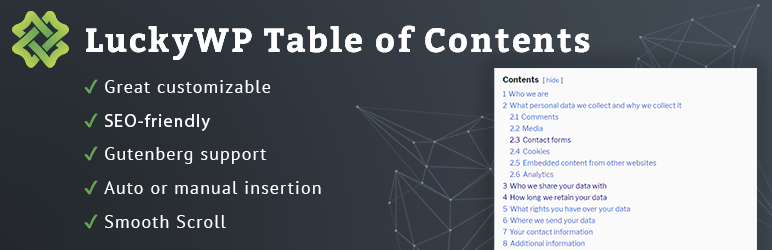
LuckyWP offers manual insertion by shortcode, block, widget or editor button, plus heading depth limits, numbering styles and per-post overrides. It is the most configurable option here. WPOptimizers flags its age, since the listing warns it may no longer be maintained.
The listing shows 90,000+ active installations and a 4.9 out of 5 rating from 884 reviews. Its last update was about two years ago, and the page says it has not been tested with the latest three major WordPress releases.
Auto-insert positions are limited, and non-English sites are advised to enable the PHP Intl extension. Given the warning, WPOptimizers recommends it only for sites that can monitor it closely and move away if problems appear.
Rank Math Table of Contents Block for Sites Already Using Rank Math
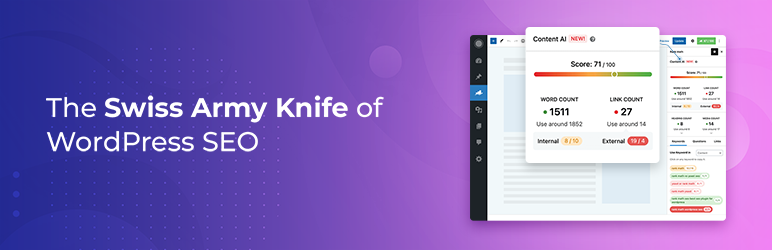
Rank Math’s listing says its Table of Contents block automatically generates a list from the headings on a page. WPOptimizers prefers it when Rank Math is already installed, since it adds no separate plugin and follows the block editor’s workflow.
The listing shows 4+ million active installations and a 4.8 out of 5 rating from 7,530 reviews, and it requires WordPress 6.7 and PHP 7.4. It gives no free-versus-Pro details for this block.
The Yoast SEO listing mentions no table of contents block, only FAQ and How-to blocks. The Rank Math and Yoast comparison covers other differences between the two suites.
Are Long Posts Structured So Readers and Crawlers Can Follow Them?
WPOptimizers reviews heading structure, internal links and page speed together as part of WordPress SEO, so long guides are easy to scan and easy to index.
Which Table of Contents Tool Fits Which Site
Match the tool to how you edit and how much you want to customize. A block-editor team may prefer a block, a page-builder site needs shortcode support and a minimalist blog wants an automatic list. WPOptimizers uses the pairings below as a starting point.
| Site situation | Practical choice |
| Rank Math already active | Rank Math table of contents block |
| Many page builders in use | Easy Table of Contents |
| Simple blog, automatic lists | Table of Contents Plus |
| Heavy customization needed | LuckyWP, with close monitoring |
| Strict maintenance policy | Prefer tools updated in recent months |
Five Steps to Set Up a Table of Contents on Long Posts
Setup takes five steps: fix your headings, pick a minimum heading count, choose placement, exclude noise and test on mobile. WPOptimizers follows this order because a table of contents is only as good as the headings behind it, and weak headings produce a weak list.
- Clean up headings so each describes its section clearly.
- Set a heading threshold, so short posts do not get a list.
- Pick placement after the intro, not above the first sentence.
- Exclude noise such as sidebar or footer headings.
- Test on a phone, and read the guide to WordPress lazy loading if the page feels heavy.
Want Long Guides That Load Fast and Read Well?
WPOptimizers builds WordPress sites on fixed-price packages from $399 to $1,299, with page structure and speed planned together.
How WPOptimizers Approaches Tables of Contents
WPOptimizers is a WordPress-focused agency, WPOPTIMIZERS LLC, based in Ohio. It treats a table of contents as a reading aid, not a ranking trick, and it checks that headings are descriptive, in order and free of keyword stuffing, since the list simply mirrors whatever structure the post already has.
Heading structure ties into the wider SEO content strategy, and long pages also need attention to Core Web Vitals, since a long page can feel slow if images and scripts are heavy.
Do I Need a Table of Contents Plugin?
Not always. Short posts do not need one, and block themes or SEO suites may already include a block. A plugin helps long guides with many sections or when you want sidebar navigation. WPOptimizers checks existing tools first, then adds one only for clear value.
Does a Table of Contents Help SEO?
It improves readability and can create jump links, but the TOC Plus listing notes that SEO benefits are the vendor’s claims and not guaranteed. Clear headings matter more than the list itself. WPOptimizers treats the table as a usability feature with a modest technical benefit.
Which Table of Contents Plugin Is Safest?
None is risk-free. Easy Table of Contents shows security fixes in its changelog, LuckyWP warns it may be unmaintained and TOC Plus was updated recently. WPOptimizers favors recently updated tools, tests on staging and keeps plugins updated through maintenance plans.
Can I Hide the Table of Contents on Some Posts?
Yes. Most tools let you exclude posts or headings, and TOC Plus supports the [no_toc] shortcode while LuckyWP offers per-post overrides. WPOptimizers sets a minimum heading count so short posts never show a list, and excludes special templates by default.
Will a Table of Contents Slow My Site?
Usually not noticeably. It adds a small block of links and some script for smooth scrolling. A long list on a heavy page can add up, so measure before and after. WPOptimizers uses speed tests to confirm the change has no real cost.
Can I Switch Table of Contents Plugins Safely?
Often, yes. Easy Table of Contents includes a migration tool to import settings from other TOC plugins, according to its listing. Shortcodes in old posts need replacing or testing. WPOptimizers backs up first and checks a sample of long posts after the switch.
Table of Contents Rules to Keep
Keep these rules beside your editorial checklist so every long post gets the same treatment. WPOptimizers drew the plugin facts from the WordPress.org listings cited above, which you can read for current limits, update dates and support activity before installing or switching.
- Check the last-updated date before installing.
- Easy Table of Contents keeps its block and sticky TOC in Pro.
- LuckyWP carries an unmaintained warning.
- TOC Plus is maintained by the AIOSEO team.
- Use your SEO plugin’s block if it already has one.
- Set a minimum heading count.
- Test on staging, then on a phone.
Useful Lists Built on Clear Headings
The best table of contents plugin is the one that is maintained, fits your editor and builds a list from headings worth reading. Check update dates, test on a few long posts and keep the setup simple. For structure and ongoing care, WPOptimizers maintains WordPress sites on fixed-price plans.
