
The best WordPress maintenance mode plugins are SeedProd, LightStart, Maintenance by WebFactory, CMP, Colorlib Coming Soon & Maintenance Mode and Ultimate Under Construction, and the safest choice sends the right status code. WPOptimizers, a WordPress-focused agency, compares each plugin by 503 handling, bypass history, caching behavior and free features.
6 Maintenance Mode Plugins Compared by Status Code and Safety
A maintenance page looks simple, yet it sits in front of your whole site, so mistakes are visible to Google and to customers. The status code, the bypass rules and the login handling matter more than the design. WPOptimizers compares six plugins below, then gives a checklist for taking a site offline without losing rankings.
Why the HTTP Status Code Matters More Than the Page Design
A maintenance page should tell search engines the downtime is temporary. The correct signal is HTTP 503 Service Unavailable, ideally with a Retry-After header. A plain 200 response tells Google the maintenance page is the real content, which can lead to pages being treated as thin or replaced in search results.
Coming soon pages are different. A launch page for a site that does not exist yet can reasonably return 200, while an existing site under repair should return 503. WPOptimizers checks which status code each plugin sends and whether you can switch it, because this single setting protects your SEO during downtime.
Six Maintenance Plugins Compared by Status Code and Risks
The table summarizes how each plugin handles status codes and what to watch. Details come from each plugin’s WordPress.org listing. WPOptimizers suggests reading the last column first, because a bypass flaw or a stale update history is a bigger risk than a plain template.
| Plugin | Status code handling | Risk or limit to check |
| SeedProd | Coming Soon sends 200; Maintenance sends 503 | Past bypass fixes; builder features are Pro |
| LightStart | 503 fix noted in changelog | Cache plugins can make it unstable |
| Maintenance by WebFactory | Optional 503 response | Security fixes in several releases |
| CMP | 200 or 503, selectable | Custom login URL bypass in 4.1.19 and below |
| Colorlib Coming Soon | Maintenance mode sends 503 with Retry-After | No page or IP exclusions mentioned |
| Ultimate Under Construction | Not described on the listing | Old and warns of no recent testing |
1. SeedProd for a Polished Page With Separate Modes

SeedProd, listed on WordPress.org as the Coming Soon Page and Maintenance Mode plugin, separates the two modes clearly: Coming Soon returns an HTTP 200 status, while Maintenance mode sends 503. WPOptimizers points to it for owners who want a designed page and clear control over the code.
The WordPress.org listing shows 600,000+ active installations and a 4.9 out of 5 rating from 4,699 reviews. It also offers a drag-and-drop landing page builder, which is why the plugin is larger than a simple maintenance tool.
Some reviewers feel the free version limits landing page features, and the theme builder is Pro. The changelog for 6.20.11 fixed bypass issues, which is a reminder to update promptly. Always test the page in a private window to confirm the correct status code.
2. LightStart for Countdown Timers and Subscriber Forms
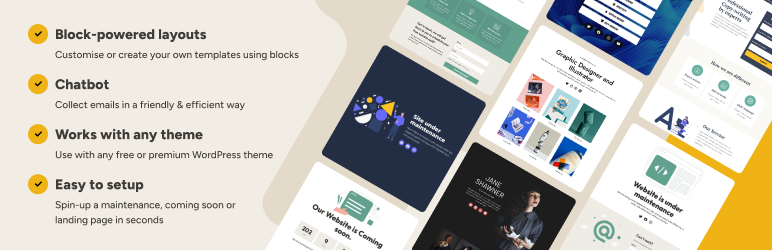
LightStart, listed as WP Maintenance Mode, adds a countdown timer, a subscribe form and a contact option to its maintenance page. It suits owners who want to collect emails during a short outage. WPOptimizers notes it is a familiar choice for agencies that need a quick, temporary page.
The listing shows 400,000+ active installations and a 4.3 out of 5 rating from 876 reviews. The changelog for version 2.6.24 includes a 503 fix, which shows status code handling is actively maintained.
Cache plugins can make it behave unpredictably, so clear your page cache after switching modes. If you change the login URL, add the new path to its exclude list or you can lock yourself out. Test with a logged-out browser before announcing downtime.
3. Maintenance by WebFactory for Simple 503 Control
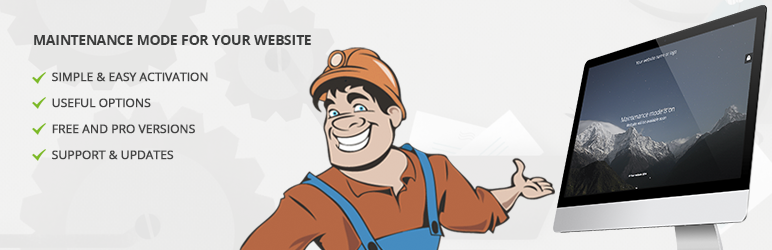
Maintenance by WebFactory focuses on a straightforward maintenance page with an optional 503 response and a page builder for design. WPOptimizers sees it as a middle option for owners who want a quick page and a switch for the status code in the settings.
The listing shows 1+ million active installations and a 4.4 out of 5 rating from 872 reviews. Pro adds more than 200 themes, and it works as a basic coming soon page too.
The changelog lists security fixes in versions 4.03, 4.05 and 4.13. One one-star review reports a Japanese keyword hack on a site that used it, though the cause is not confirmed on the page. Treat that as a reason to keep every plugin updated and to monitor your site.
4. CMP for Four Page Modes and a Clear Bypass Warning
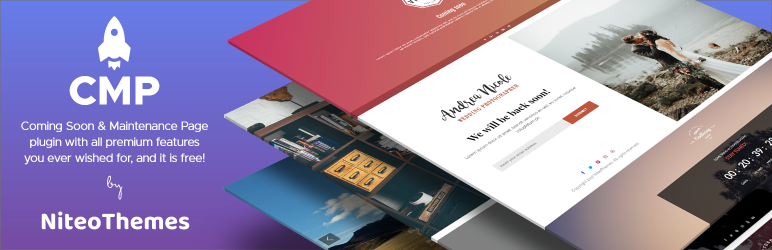
CMP, from NiteoThemes, offers coming soon, maintenance, landing page and redirect modes, with a choice of 200 or 503 response codes. WPOptimizers values the flexibility and the ready-made templates, but notes that its bypass history needs attention before you install it on a live site.
The listing shows 200,000+ active installations and a 4.7 out of 5 rating from 327 reviews. It includes templates and a page editor in the free version.
A vulnerability tracked as CVE-2026-13413 describes a maintenance mode bypass through custom login URLs that remains exploitable in version 4.1.19 and below. Related bypasses were fixed in 4.1.20 and 4.1.21, so check your installed version and update before enabling it on a live site.
5. Colorlib Coming Soon and Maintenance Mode for Free, Strict Locking
Colorlib’s plugin is free with no premium tier and no feature restrictions according to its listing. It returns 503 with a Retry-After header in maintenance mode. WPOptimizers likes the changelog, which shows recent work on closing leaks while a site is locked.
The listing shows 5,000+ active installations and a 4.7 out of 5 rating from 42 reviews. Version 1.4.0 fixed leaks through XML sitemaps and short post URLs, blocked XML-RPC while closed and fixed a bypass for logged-in subscribers.
The small user base means fewer reviews to judge it by. One reviewer asked for page or IP exclusions, which the listing does not mention. The coming soon page sends no-cache headers, but the page does not say whether it also returns 503.
6. Ultimate Under Construction for Basic Pages on Older Sites

Ultimate Under Construction is a basic under-construction page plugin with a small footprint. WPOptimizers includes it only as a cautionary entry, since its listing shows it is old, rarely updated and no longer tested against the most recent WordPress versions.
The listing shows 1,000+ active installations and a 3.1 out of 5 rating from 15 reviews. It was last updated about two years ago and warns that it has not been tested with the latest three major WordPress releases.
An unmaintained plugin that sits in front of your whole site is a risk, because security fixes stop arriving. Use it only on a throwaway staging site, and prefer a maintained alternative for any live project.
Is Your Site Offline Longer Than It Should Be?
WPOptimizers handles planned downtime, updates and rollbacks as part of WordPress maintenance, so your visitors see a clean page and your rankings stay intact.
Picking a Maintenance Plugin by Situation
Pick the plugin by what your site is doing: launching, repairing or redesigning. A launch page and a repair page have different SEO needs. WPOptimizers uses the pairings below as a starting point, then tests the status code in a private window.
| Your situation | Practical choice | Why |
| Designed page with separate modes | SeedProd | Coming Soon and Maintenance separated |
| Short outage with email capture | LightStart | Countdown and subscribe form |
| Quick switch with 503 | Maintenance by WebFactory | Optional 503 setting |
| Strict locking on a budget | Colorlib plugin | Free, 503 with Retry-After |
| Several modes and redirects | CMP (updated version) | Four modes, 200 or 503 |
Seven Steps to Take a Site Offline Without Losing Rankings
A safe downtime follows seven steps: take a backup, choose the mode, confirm the status code, exclude your login, clear caches, test logged out and switch the page off. WPOptimizers follows this order because most ranking damage comes from a page left on or a wrong status code.
- Take a full backup of files and database before anything changes.
- Choose maintenance mode for a live site, or coming soon for a new one.
- Confirm the 503 status code using your browser’s developer tools.
- Exclude your login path, especially if you use a custom login URL.
- Clear page, plugin and server caches so visitors see the correct page.
- Test in a private window and confirm admins can still work.
- Disable the plugin immediately when work is done and recheck the live pages.
Planning a Redesign or Migration Without Public Downtime?
WPOptimizers builds WordPress sites on fixed-price packages from $399 to $1,299, and staged builds keep your live site running until the new one is ready.
How WPOptimizers Handles Downtime
WPOptimizers is a WordPress-focused agency, WPOPTIMIZERS LLC, based in Ohio. It prefers to avoid public downtime by working on a staging copy, and uses maintenance mode only for the short switch-over. Before launch it checks the status code, caches, redirects and robots rules together.
Related problems often appear after a switch. A leftover redirect can cause an ERR_TOO_MANY_REDIRECTS loop, and traffic drops can look like rankings fluctuating without a Google update. Checking both after downtime catches most issues early.
What Is the Difference Between Coming Soon and Maintenance Mode?
Coming soon mode announces a site that has not launched, and may return a 200 status. Maintenance mode tells visitors an existing site is temporarily down and should return 503. WPOptimizers uses coming soon only before launch and maintenance mode for repairs on live sites.
Does Maintenance Mode Hurt SEO?
A short maintenance window with a 503 status does little harm, because Google treats it as temporary. Long downtime or a 200 status can cause problems. WPOptimizers keeps maintenance windows short and checks Search Console afterward for crawl errors and sudden indexing changes.
How Long Can a Site Stay in Maintenance Mode?
Keep it to hours, not days. Search engines can reduce crawling or drop pages if a 503 persists. WPOptimizers plans the work in advance, uses staging for lengthy changes and sets a firm end time so the page is never left on by accident.
How Do I Stay Logged In During Maintenance?
Most plugins let logged-in administrators see the real site. If you changed your login URL, add it to the exclude list, as LightStart advises. WPOptimizers keeps a second admin session open in another browser before enabling the page, as a safety net.
Why Does the Maintenance Page Still Show After I Turn It Off?
Usually caching. Page cache, browser cache or a CDN can keep serving the old page. Clear every layer after switching modes. WPOptimizers purges plugin, server and CDN caches, then checks in a private window to confirm the live site is back.
Can Visitors Bypass Maintenance Mode?
Sometimes, depending on the plugin and version. CMP’s listing describes a bypass through custom login URLs in older versions, SeedProd fixed bypass issues in 6.20.11 and Colorlib closed several leaks in 1.4.0. WPOptimizers updates the plugin before use and tests as a logged-out visitor.
Do I Need a Plugin at All?
For longer work, yes, because a plugin gives a designed page and a status code. For quick updates, WordPress shows its own brief maintenance message during core updates. WPOptimizers uses a plugin when downtime is planned and visible to customers.
Maintenance Mode Rules to Remember
Keep these rules in your launch checklist so every downtime follows the same steps. WPOptimizers drew the plugin facts from the WordPress.org listings cited above, which you can read for current versions, update dates and security notes before choosing a plugin.
- Use 503 for an existing site and coming soon only before launch.
- Take a backup before switching modes.
- Update the plugin first, since bypass fixes appear in changelogs.
- Add a custom login URL to the exclude list.
- Clear every cache layer after switching.
- Test in a private window as a logged-out visitor.
- Turn the page off as soon as the work ends.
Short Downtime, Correct Signal
The best maintenance mode plugin is the one that sends a 503, keeps your login reachable and closes bypasses. Take a backup, test logged out and turn the page off promptly. For planned work and ongoing care, WPOptimizers maintains WordPress sites on fixed-price plans.
