
The best WordPress Google Analytics plugins are MonsterInsights, ExactMetrics, Site Kit by Google, GA Google Analytics, Independent Analytics and Koko Analytics, and they split into dashboards and tracking-code tools. WPOptimizers, a WordPress-focused agency, compares them by free limits, setup effort, privacy and what each really reports.
6 Analytics Plugins Compared by Free Features and Privacy
Some plugins send data to Google Analytics, some show reports inside WordPress and some replace Google altogether. Picking the wrong type leads to double tracking or empty reports. WPOptimizers compares six plugins below by free features, setup effort and privacy, then lists seven checks that catch broken GA4 tracking.
Tracking Code Versus Dashboard Versus Replacement
A tracking-code plugin only inserts the Google Analytics snippet and leaves reading the data to Google. A dashboard plugin also shows reports inside WordPress. A replacement tool collects its own data and never talks to Google. WPOptimizers explains this first, because installing two plugins from the same group is the usual cause of inflated page views.
The WPOptimizers guide on how to add Google Analytics to WordPress covers the manual route. Plugins add convenience for events, ecommerce and reports, but each adds code to the page, so keep only the features you will use.
Six Analytics Plugins Compared by Cost and Catch
The table shows what each plugin is and the catch to check before installing. Details come from each plugin’s WordPress.org listing. WPOptimizers suggests reading the catch column first, since the useful features such as ecommerce and form tracking often sit behind a paid plan.
| Plugin | Type | Biggest catch |
| MonsterInsights | Dashboard for GA4 | Ecommerce and events are Pro-only |
| ExactMetrics | Dashboard for GA4 | Low rating; free version called limited |
| Site Kit by Google | Google dashboard | Widgets sometimes fail to load |
| GA Google Analytics | Tracking code only | No reports inside WordPress |
| Independent Analytics | Replacement | Needs PHP 8.2; cannot import GA data |
| Koko Analytics | Replacement | Country and device data are Pro |
1. MonsterInsights for Reports Inside Your Dashboard
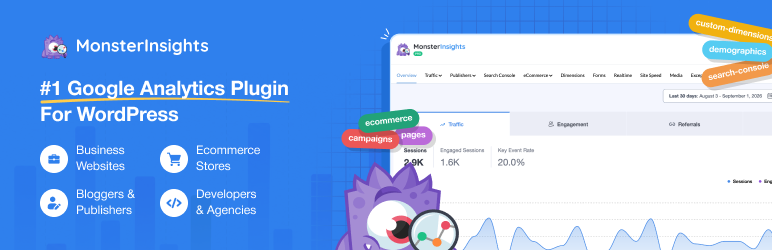
MonsterInsights connects a site to Google Analytics 4 and shows reports in the WordPress dashboard. WPOptimizers recommends it for owners who want simple reports without opening Google Analytics, and who may later upgrade to the paid plan for ecommerce tracking.
The WordPress.org listing shows 2+ million active installations and a 4.5 out of 5 rating from 3,161 reviews, although the description claims 3 million. The free version covers the basics of connecting and viewing core reports.
Ecommerce tracking, event tracking, custom dimensions, form tracking and locally hosted gtag are Pro features. Versions 11.1.2 and 11.1.3 included security hardening. GDPR controls need a separate addon, and you should not run MonsterInsights next to another Google Analytics plugin. Support resolved 3 of 3 recent issues.
2. ExactMetrics for a Guided Setup With Mixed Reviews
ExactMetrics is a similar dashboard plugin with a Lite version and a Pro upgrade for ecommerce, events and form conversions. WPOptimizers lists it with a clear warning, because its public rating is sharply split and the free version draws strong criticism from reviewers.
The listing shows 200,000+ active installations, although the description says 1 million, and a 2.5 out of 5 rating from about 1,547 reviews, with 926 one-star and 539 five-star ratings. It has supported only GA4 since version 7.17.
Reviewers say setup is hard and call the free version useless. Lite support is available through the vendor site only. Support resolved 1 of 1 recent issue. If you consider ExactMetrics, test the connection on a staging site and confirm that reports match what you see in Google Analytics.
3. Site Kit by Google for the Official Free Route

Site Kit is Google’s own plugin, and it is free. It brings Search Console, Analytics and PageSpeed data into the WordPress dashboard. WPOptimizers suggests it for owners who want official tooling and a mix of search and traffic data in one place.
The listing shows 5+ million active installations and a 4.2 out of 5 rating from 1,016 reviews. It is the widest installed plugin in this list, and its support team resolved 73 of 91 recent issues, a strong response rate.
The common complaint is that dashboard widgets fail to load or show errors, and the site must be live and reachable for the connection to work. Check which events you need before choosing, since the dashboard focuses on search and traffic summaries.
4. GA Google Analytics for Inserting the Tracking Code Only
GA Google Analytics by Jeff Starr inserts a GA4 tracking code into your pages and nothing more. WPOptimizers picks it when a site owner prefers to read reports inside Google Analytics and wants the smallest possible plugin on the site.
The listing shows 400,000+ active installations and a 4.9 out of 5 rating from 159 reviews. The free version handles the tracking code. Pro adds an opt-out box, exclusions and support for multiple codes.
Version 20261108 added security improvements. Remember that the plugin only inserts the code, so data takes 24 to 48 hours to appear, and the theme must call wp_head and wp_footer for the snippet to load. Consent controls are a Pro feature, so a cookie banner needs another plan.
5. Independent Analytics for Privacy-Friendly Reports Without Google
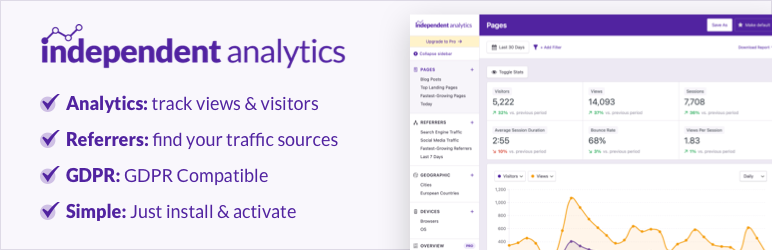
Independent Analytics collects visitor data on your own site and shows reports in WordPress, so Google Analytics is not required. WPOptimizers uses it for sites that want readable reports and fewer privacy questions, and that can live without historical Google data.
The listing shows 100,000+ active installations and a 4.8 out of 5 rating from 168 reviews. Free reports cover pages, referrers, geographic and device data, with CSV and PDF export.
Pro adds UTM campaigns, real-time data, ecommerce, click tracking and form tracking. It needs PHP 8.2 or higher and cannot import existing Google Analytics data, so you start fresh. Support resolved 16 of 16 recent issues, which is the best rate among these plugins.
6. Koko Analytics for a Lightweight Counter
Koko Analytics is a small analytics plugin that counts pageviews and referrers with a very light footprint. WPOptimizers fits it to blogs that want a simple traffic count and have no need for funnels, events, conversion goals or ecommerce reports at all.
The listing shows 70,000+ active installations and a 5.0 out of 5 rating from 248 reviews. Free reports cover pageviews and referrers. Pro adds country, device, UTM and event data.
Version 2.5.3 fixed bypasses of the Pro password protection, which is a reminder to keep it updated. The free version is intentionally simple, so check whether the missing data matters before deciding. Support resolved 2 of 3 recent issues.
Is Your Analytics Telling You the Truth?
WPOptimizers audits tracking setups, from duplicate tags to missing conversions, so decisions rest on numbers you can trust.
Matching an Analytics Plugin to Your Reporting Need
Choose by the question you need answered. A store needs ecommerce data, a blogger needs a clean traffic count and a privacy-minded site may want to avoid Google. WPOptimizers uses the pairings below as a starting point, then verifies tracking in a live report before trusting any setup.
| Your need | Practical choice | Why |
| Reports inside WordPress | MonsterInsights | Easy dashboard for GA4 |
| Official Google tools | Site Kit by Google | Free, with Search Console data |
| Smallest footprint with GA | GA Google Analytics | Code only |
| Avoid Google | Independent Analytics | Own-site reports |
| Simple traffic count | Koko Analytics | Lightweight |
Seven Checks to Confirm GA4 Is Tracking Correctly
A reliable setup takes seven checks: pick one tracking method, connect the correct property, open the live report, test a page view, test a key event, confirm consent handling and exclude your own visits. WPOptimizers runs them in this order, because duplicate tags and missing events are the common faults.
- Pick one tracking method, never two plugins that both insert the tag.
- Connect the correct GA4 property and note its measurement ID.
- Open the realtime report and visit your site in a private window.
- Test one page view and confirm it appears.
- Test one key event, such as a form submission or purchase.
- Check consent handling against your privacy policy.
- Exclude your own visits so internal traffic does not skew results.
Want Analytics You Can Trust for SEO Decisions?
WPOptimizers sets up tracking as part of WordPress SEO work, so rankings, traffic and conversions can be read in one place.
How WPOptimizers Sets Up Analytics
WPOPTIMIZERS LLC, based in Ohio, starts with the question the data must answer: which pages bring leads, which sources convert and which pages lose visitors. The plugin comes after that. A store, a blog and a lead generation site need different events, so one setup rarely fits all.
Tracking also depends on page quality. WPOptimizers connects analytics work with WordPress SEO content strategy and watches why traffic moves, as explained in the guide on rankings that fluctuate without a Google update. Clean data makes those reviews faster.
Which Analytics Plugin Is Best for Beginners?
Site Kit by Google and MonsterInsights are the easiest starts because they guide you through connecting a property and show reports in WordPress. Site Kit is free, while MonsterInsights keeps the useful tracking features in Pro. WPOptimizers suggests Site Kit when budget matters and MonsterInsights when ecommerce matters.
Do I Need a Plugin to Add Google Analytics?
No. You can paste the tracking code through your theme or a code snippet tool, but a plugin makes updates and events easier. WPOptimizers uses a plugin for most client sites, and a manual snippet only when the site needs no extra events. Avoid doing both at once.
Why Is My GA4 Data Empty?
New properties can take 24 to 48 hours to show data, and the theme must call wp_head and wp_footer so the snippet loads. Caching and consent banners can also block the tag. WPOptimizers checks the realtime report, clears caches and confirms the tag is on the page.
Can I Use Two Analytics Plugins Together?
Not for the same job. MonsterInsights warns against running it alongside another Google Analytics plugin, because two tags double count visits. WPOptimizers pairs a Google tool with a separate non-Google counter only when the reasons are clear and the two are labeled in reports.
Is Google Analytics Required for Privacy-Friendly Tracking?
No. Independent Analytics and Koko Analytics collect data without sending it to Google. The trade-off is that you lose Google’s wider reports and cannot import old data. WPOptimizers asks which reports the business uses before recommending a switch, and keeps a record of the change date.
Will Analytics Plugins Slow My Site?
Each tracking script adds weight, so choose features carefully. A code-only plugin and a lightweight counter add little, while larger suites add more options. WPOptimizers checks load impact and keeps only the events that answer a real question, as covered in the guide to improving WordPress Core Web Vitals.
Analytics Rules to Remember
Keep these rules with your tracking notes so every report stays trustworthy over time. WPOptimizers drew the plugin facts from the WordPress.org listings cited above, which you can read for current limits, update dates and support activity before installing a tool.
- Use one tracking method at a time.
- Decide the questions before choosing a plugin.
- Remember that useful events are often Pro features.
- Allow 24 to 48 hours for new GA4 data.
- Check that the theme calls wp_head and wp_footer.
- Review consent handling against your privacy policy.
- Keep analytics plugins updated.
Measure What Matters, Then Act on It
The best analytics plugin is the one that answers your questions with the fewest scripts. Pick one method, test it and keep it updated. For tracking setup tied to SEO and ongoing care, WPOptimizers works with WordPress sites on fixed-price plans.
