
The best WordPress activity log plugins are WP Activity Log, Simple History, Stream, Activity Log by Pojo, Logtivity and WP User Activity, and the right pick depends on where you want logs stored. WPOptimizers, a WordPress-focused agency, compares them by events recorded, retention, alerts and the privacy data each one keeps.
6 Activity Log Plugins Compared by What They Record and Where Logs Live
When a page vanishes or a user suddenly has administrator rights, you need an audit trail that says who did it and when. WPOptimizers compares six activity log plugins below by the events they capture, where the log is stored and which alerts cost money, then adds a retention checklist for keeping logs useful and private.
What a Useful Audit Trail Must Record
A useful log answers four questions: who acted, what changed, when it happened and from which IP address. It should cover logins, content edits, user role changes, plugin and theme changes and settings updates. WPOptimizers checks that each plugin records these events without large gaps before looking at design or price.
A log that records everything is not automatically better. Too many events bury the important ones, and detailed logs can hold personal data such as IP addresses and usernames. The right balance is a clear view of changes that affect security and content, with a retention period you have chosen on purpose.
Six Activity Log Plugins Compared by Storage and Limits
The table shows where each plugin stores logs and the limit to check first. Details come from each plugin’s WordPress.org listing. WPOptimizers suggests reading the limit column before the features, because storage and retention choices are harder to change after months of logs pile up.
| Plugin | Where logs live | Limit to check |
| WP Activity Log | Your database | Reports, alerts and external storage are premium |
| Simple History | Your database | Default retention is 30 days; changing it is premium |
| Stream | Your database | Support is slow; proxy IP detection needs care |
| Activity Log by Pojo | Your database | Elementor promotion shown in the admin |
| Logtivity | External service | Requires a Logtivity account |
| WP User Activity | wp_posts table | Old; not tested with recent WordPress releases |
1. WP Activity Log for Detailed Security Auditing
WP Activity Log is the most complete audit tool in this list. The free version logs the same events as premium, with no data limits. WPOptimizers picks it for sites where multiple people edit content and an incident review might be needed later.
The WordPress.org listing shows 300,000+ active installations and a 4.7 out of 5 rating from 493 reviews. The default retention period is three months, so older entries disappear unless you change it.
Premium adds session management, reports, email, SMS and Slack alerts, external database storage and mirroring. Version 5.7.0 fixed a cross-site scripting issue in the log itself. One reviewer saw a role change logged that never appeared in the admin. Free support goes through the forums only.
2. Simple History for a Clear Timeline on Small Sites
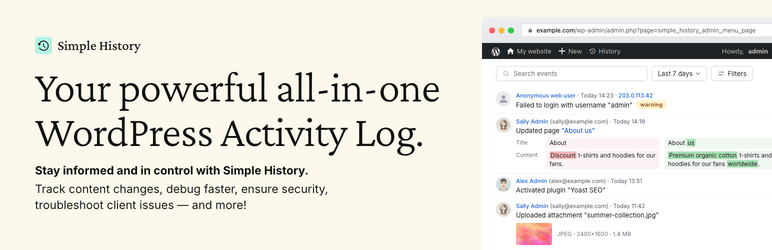
Simple History shows changes as a readable timeline in the dashboard and a log page. It suits owners who want to see recent activity without learning a complex interface. WPOptimizers recommends it for small sites and client sites where a quick answer matters more than deep reporting.
The listing shows 300,000+ active installations and a 4.9 out of 5 rating from 494 reviews. Core logging, a dashboard widget, RSS, WP-CLI and a REST API are free.
Logs are kept for 30 days by default, and changing that needs Premium. Premium also adds alerts, log forwarding, custom retention and a stealth mode settings screen. Recent releases list repeated security hardening, and IP addresses are masked in the log. Support resolved 1 of 2 recent issues.
3. Stream for an Open-Source Log Without a Paid Tier
Stream is a free, open-source activity log that records user and system events with filters, live updates and alerts. WPOptimizers sees it as a fit for developers who want a full audit trail without a premium upsell, provided they can handle some rough edges.
The listing shows 70,000+ active installations and a 4.3 out of 5 rating from about 76 reviews. Version 4.5.0 fixed a stored XSS issue in the records screen, and 4.4.0 limited multisite record reads to the current site.
Reviewers report email notifications that lack detail and say developers rarely answer forum questions. Client IP detection relies on REMOTE_ADDR, so sites behind proxies or a CDN need care, because the suggested workaround trusts headers that can be spoofed. Support resolved 0 of 1 recent issues.
4. Activity Log by Pojo for a Free Monitor With AI Hooks
Activity Log by Pojo, listed as Activity Log – Monitor and Record User Changes, records user changes with every feature free. Its newer AI agent features are off until you enable them. WPOptimizers considers it for owners who want a simple free log and do not mind a promotional banner.
The listing shows 200,000+ active installations and a 4.3 out of 5 rating from 74 reviews. The AI agent features need WordPress 6.9 or later.
The one visible complaint is an Elementor advertisement in the admin area, which one reviewer found unprofessional on a client site. Version 2.11.2 included a security fix, so keep the plugin updated. Support resolved 5 of 5 recent issues.
5. Logtivity for Logs Stored Off Your Server
Logtivity sends activity data to a hosted service, so logs live outside your own database. That keeps a hacked site from deleting its own evidence. WPOptimizers suggests it for agencies that watch many client sites and want alerts in email or Slack.
The listing shows 2,000+ active installations and a 5 out of 5 rating from 4 reviews, so the sample is small. The plugin is free on WordPress.org, but the page says you must create a Logtivity account to store logs and create alerts.
No pricing appears on the page. Built-in integrations cover plugins such as Easy Digital Downloads and MemberPress, while deeper WooCommerce monitoring is still in progress. A fatal error fix in 3.3.13 shows the update path has had a rough patch. Logs export to CSV, alerts go to email or Slack, and support resolved 1 of 1 recent issue.
6. WP User Activity for a Native Look on Light Sites
WP User Activity logs actions as custom entries that appear in a familiar WordPress interface, with filtering by user. WPOptimizers lists it as a cautionary option, since its compatibility notice and small install base mean it needs extra review before use on a live business site.
The listing shows 200+ active installations and a 3.3 out of 5 rating from 8 reviews. It requires WordPress 5.2 and warns that it has not been tested with the latest three major WordPress releases.
Logs are stored in the wp_posts table, and one reviewer said this bloated the table to hundreds of thousands of rows. There is no automatic cleanup or retention policy. Most reviews date from 2017 to 2021, so check the latest version carefully. Prefer a maintained alternative for any site that matters.
Do You Know Who Changed Your Site Last Night?
WPOptimizers monitors updates, user changes and backups as part of WordPress maintenance, so unexpected edits are noticed before they become outages.
Matching an Activity Log to Your Team Size
Pick by who touches the site. A solo owner needs a short timeline, a content team needs filters and roles, and an agency needs central alerts. WPOptimizers uses the pairings below as a starting point, then tests logging with a dummy user before trusting any plugin.
| Your situation | Practical choice | Why |
| Solo site, quick answers | Simple History | Readable timeline |
| Team with security needs | WP Activity Log | Full event coverage |
| Developer, no paid tier | Stream | Free and open source |
| Many client sites | Logtivity | Central alerts off-site |
| Simple free monitor | Activity Log by Pojo | All features free |
Six Steps to Set Retention, Alerts and Privacy
A good setup takes six steps: list the events that matter, set retention, restrict who can read the log, test with a dummy user, enable alerts for risky changes and review the log monthly. WPOptimizers follows this order because logs hold personal data and an unread log protects nothing.
- List the events that matter, such as logins, role changes and plugin installs.
- Set a retention period that matches your policy and storage space.
- Limit log access to administrators, since logs can reveal usernames and IP addresses.
- Test with a dummy user and confirm each action is recorded.
- Turn on alerts for role changes, new administrators and plugin changes.
- Review the log monthly and archive or export what you must keep.
Want Someone to Watch the Log for You?
WPOptimizers offers WordPress maintenance plans from $49 per month, so updates, user reviews and backups happen on a schedule.
How WPOptimizers Uses Audit Logs
WPOPTIMIZERS LLC, based in Ohio, treats an activity log as evidence for two moments: finding what changed after a problem and proving that a change was authorized. It checks that logs include user role changes and plugin edits, since those are the changes that open security gaps.
An activity log also supports login protection. When failed logins spike or an unfamiliar administrator appears, the log shows the first sign. The WPOptimizers guide to WordPress login page security tips explains the controls that reduce those events before they reach the log.
Which Activity Log Plugin Is Best for Beginners?
Simple History is the gentlest start because it shows recent changes as a clear timeline with little setup. WP Activity Log suits owners who expect to need deeper reports later. WPOptimizers suggests installing one on a staging site first, making a few test edits and judging how readable the entries are.
Do Activity Logs Slow Down WordPress?
They add a small database write for each logged event, which is usually unnoticeable on normal sites. Heavy logging on busy stores can grow tables quickly. WPOptimizers sets a retention period, keeps logging focused on meaningful events and checks table size, since the log itself can become the slowest query.
Where Should Logs Be Stored?
Local storage is simple, but a hacked site could alter its own log. External storage, such as Logtivity or premium database options in WP Activity Log, keeps evidence separate. WPOptimizers uses off-site logging for client sites that handle payments or sensitive data and local logging for lighter projects.
Are Activity Logs a Privacy Risk?
They can be, because they store usernames, IP addresses and sometimes content details. Simple History masks IP addresses, which shows how much personal data a log can hold. WPOptimizers limits access, sets retention and reviews privacy policies to match what the log actually records.
How Long Should I Keep Activity Logs?
Keep them long enough to investigate problems you notice late, but not forever. Simple History defaults to 30 days, while WP Activity Log defaults to three months and allows longer retention. WPOptimizers usually picks a window that matches the business risk and exports older records when needed.
Can an Activity Log Replace a Security Plugin?
No. A log records events, but it does not block attacks or fix vulnerabilities. Pair it with attempt limits, two-factor authentication and updates. WPOptimizers uses the log to see what happened and the security stack to prevent it, which is a clearer split than one plugin trying to do both.
Activity Log Rules to Remember
Keep these rules in your site notes so every log stays useful. WPOptimizers drew the plugin facts from the WordPress.org listings cited above, which you can read for current retention defaults, update dates and support activity before installing a tool.
- Record who, what, when and from where.
- Set retention on purpose and know the default.
- Restrict log access to administrators.
- Test with a dummy user before trusting the log.
- Use external storage for sites that handle sensitive data.
- Avoid unmaintained plugins for anything important.
- Review the log monthly, not only after an incident.
A Log Only Helps If Someone Reads It
The best activity log is the one that records the right events, keeps them for a sensible time and gets reviewed. Test with a dummy user, set alerts and limit access. For regular monitoring and updates, WPOptimizers maintains WordPress sites on fixed-price plans.
